GCash for Foreigners: GTourist vs Full Verification
This guide contains affiliate links. If you book or sign up through them we may earn a commission, at no extra cost to you. How recommendations work.
The two doors into GCash
For a foreigner, GCash has exactly two doors, not one. Door one is GTourist, a visitor account built for someone here on a trip. Door two is a normal, Fully Verified wallet, built for someone who actually lives here. That's it. There's no in-between account and no upgrade path that slides you from one to the other. When your GTourist account expires after its 30 days, it doesn't roll into a resident account — it deactivates, and you start over from zero if you want another one.
I see people pick the wrong door constantly. Someone renting a condo in Makati for six months signs up for GTourist because it's the first thing that comes up in the App Store search, then wonders why his account died on day 31 with a balance stuck inside it. A snowbird here for three weeks tries the resident-ID route because a forum told her to, and gets stuck on IDs she was never going to have. Pick based on what you're actually doing here, not on what worked for somebody else in a Facebook group.
GTourist: the 30-day route for visitors
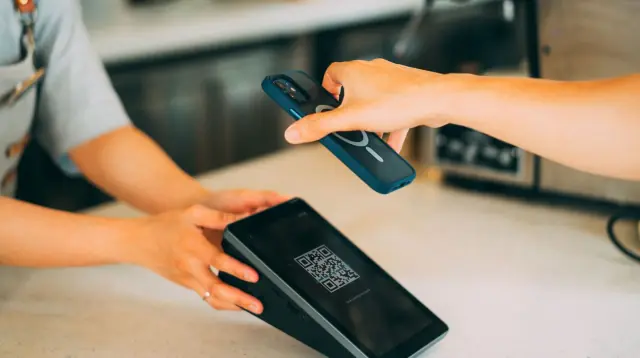
GTourist exists so tourists and short-stay visitors can pay like a local — scan the QR code at the counter instead of fumbling for cash you haven't gotten yet. It's tied to your trip, not to you as a long-term resident, and it behaves that way: 30 days, then it's gone.
A few things decide whether you even qualify. You need a non-Philippine mobile number or SIM to sign up — this is a visitor product, and it checks for that. Your home country has to be on GCash's supported list, and that list is country-restricted and rolling out gradually, so check it inside the app, not on a blog post — the app's list is the authoritative one and it changes. And you have to be 18 or older. Right age, right SIM, right country. That's the gate.
You can actually create the account before you land. It just won't activate until you're physically in the Philippines. Turn on roaming before you land too, because the six-digit OTP goes to that same foreign number, and if you can't receive it, you can't finish setup.
Setting it up
The order matters, so follow it in sequence:
- Download the GCash app from the App Store or Google Play.
- Open it, enter your mobile number, and allow location sharing.
- Enter the six-digit OTP sent to that number.
- Tap "For Visiting Foreigners."
- Enter your personal information exactly as it appears on your passport — middle name included, if your passport has one.
- Set your MPIN.
- On the GCash Tourist page, tap "Link a Card" and enter your Visa or Mastercard credit or debit card.
- You land on the GCash Tourist dashboard, and you're in.
That passport-matching step in #5 trips people up more than anything else on this list. If your passport spells your name one way and you type it another — dropped middle name, different capitalization, whatever — don't be surprised if verification stalls later. Match it exactly, every time.
What it can and cannot do
A basic GTourist account just needs a valid Visa or Mastercard, credit or debit, issued in your name. That's the entire bar for entry. Want a fully verified GTourist account instead? Scan your foreign passport, take a selfie, and GCash sends an SMS update within 24 hours. If it gets rejected, GCash has a separate help article on the reasons and what to do next — read that before you reapply blind.
A basic GTourist account runs on the Visa or Mastercard you linked at signup. GCash's help page also lists cash-in through international banks and partners, and through PayPal, and verifying with your passport is what unlocks Bank Cash In and Send Money. Once there's money in there, you can scan to pay by QR at merchants around the country. That's the entire point of having it.
What you can't do on a basic account is send money to another person. Send Money requires Fully Verified. So if your plan involves splitting a bill with a friend through a GCash transfer instead of cash, that's not happening on the visitor tier.
When your 30 days are winding down, you've got two ways to use what's left: pay by QR at any store that takes GCash, or go to Transfer → International in the app and move the remaining funds to a foreign bank account or e-wallet — enter the currency, amount, recipient type, then the bank details and the amount in PHP. Don't sit on a balance until the last day. GCash's own guidance is to spend or move the money before the account expires, and after the 30 days are up it deactivates automatically.
Resident verification: the ID list is the whole game
If you're actually living here — not visiting, living — you go through GCash's regular verification as a foreigner residing in the Philippines, and this is where the whole thing gets a lot less forgiving.
The accepted-ID list for a foreign resident with a Philippine SIM is short: ACR (Alien Certificate of Registration, the ACR I-Card), Philippine Driver's License, SRRV, DFA Diplomat ID, or DOLE Alien Employment Permit. Pick one of those five. Notice what's missing: your passport. A foreign passport is not on the resident list. It's the accepted ID for the GTourist group, and for GCash Jr. — the product for foreign minors, where an Alien Certificate of Registration is also accepted — but not for an adult resident's regular verification.
For comparison, GCash Overseas — built for Filipinos abroad using a non-Philippine SIM — accepts National ID, Passport, HDMF, Driver's License, Postal ID, PRC ID, UMID, or SSS ID. The passport is fine there. It's specifically the foreign-resident lane where it drops off the list.
Whatever ID you present, it has to be valid, undamaged, and clearly legible, and it has to be the physical document. Scans and photocopies are not accepted, with one exception: the National ID.
That's the official position, straight from GCash's own list. What I hear from foreigners on the ground varies more than that clean list suggests. Some say they got verified showing an ACR I-Card alongside their passport, no drama. Others say the app only offered them the ACR option and nothing else once it flagged a foreign ID. I'm flagging that as reader reports, not GCash policy — the five-item list above is the policy. If you're planning around this, plan around the list, not around someone's one-off success story in a comment thread.
There's an upstream problem nobody mentions: getting a Philippine SIM in the first place requires registering under the SIM Registration Act, and as a foreign national that means presenting your passport, full name, and nationality, plus your Philippine address if you're here on anything other than a straight tourist visa. That registration step is where I've watched a lot of foreigners quietly get stuck, well before they ever open the GCash app. Sort out your SIM registration and getting online here before you worry about which GCash ID to bring.
Wallet and transaction limits, by profile
These are GCash's published limits, updated effective October 1, 2026, per GCash's limits help page (checked October 20, 2026). GCash says to update the app to get them. They reset on the 1st of the following month, so plan your cash flow around that. GCash can change limits, so check Profile > Profile Limits in the app for your current limits.
| Profile | Wallet cap | Incoming (monthly) | Outgoing (monthly) | Outgoing (daily) |
|---|---|---|---|---|
| Basic (not verified) | ₱10,000 | ₱5,000 | ₱5,000 | no daily cap |
| GCash Jr. (7–17, verified) | ₱100,000 | ₱100,000 | ₱100,000 | ₱100,000 |
| Fully Verified (adults, GTourist) | ₱1,000,000 | ₱1,000,000 | ₱1,000,000 | ₱500,000 |
| 5M (by approval) | ₱5,000,000 | ₱5,000,000 | ₱5,000,000 | ₱1,000,000 |
| 10M (by approval) | ₱10,000,000 | ₱10,000,000 | ₱10,000,000 | ₱1,000,000 |
GCash places GTourist users in the Fully Verified column, with the same limits as a verified resident adult. That's the tier most foreigners actually end up in. The 5M and 10M tiers are by approval, for customers with active GSave or investment products, so most of you can ignore them. You can link up to five accounts to one profile, and the highest tier's limits apply across all of them. The limits don't add up, though. A second account doesn't double your ceiling.
Staying past GTourist's 30 days?
GTourist stops on day 30 and doesn't roll into a resident account. If you're here for months, the wallet is the small problem, so sort travel medical cover for the months you're staying first.
Compare SafetyWing travel medical for the months you're staying(affiliate link)
If you're staying past a month, it bridges the months before you sort anything longer-term. It's travel medical cover, not a long-term local plan, and it fits only if you still count as traveling from your home country (check SafetyWing's home-country rules). It generally won't cover anything you were diagnosed with, treated for, or had symptoms of in the two years before the policy started. A sudden emergency flare-up may be covered, with limits. Check SafetyWing's current terms. Read what SafetyWing covers for a stay past 30 days first.
Then, once each:
- Agoda. While you look for a place, book a monthly stay before you sign a lease instead of paying nightly. Book a monthly stay on Agoda(affiliate link).
- Wise. Once you're past the GTourist door, a peso bank account does what GCash won't, so open a Philippine bank account as a foreigner and move money in with Wise. Wise shows the fee upfront, so compare with your bank's wire. Get a Wise quote to fund your peso account(affiliate link).
What GCash is not
GCash runs on an e-money license regulated by the Bangko Sentral ng Pilipinas. BSP Circular No. 1166 from 2023 spells out what that means: e-money is electronically stored value, held in a non-interest-bearing non-deposit account, issued and redeemed only at face value. The part that matters to you: e-money is explicitly not a deposit, and it doesn't earn interest, no matter how long it sits there.
So treat your GCash balance as spending money, not savings. If you're the type who lets a balance build up between trips or between paychecks, move the excess into an actual Philippine bank account. GCash is a payment rail — a good one, for scanning a QR code at a sari-sari store or splitting a jeepney fare app-to-app. It is not where you park money you care about.
The dual-citizen shortcut
If you're a Filipino-American, or any other dual citizen, and you're still holding a Philippine passport or National ID, you've got an easier door than everyone else reading this. That ID qualifies you for the GCash Overseas route — non-Philippine SIM, passport accepted — and it also qualifies you for the standard Filipino verification path if you'd rather go that way.
I won't oversell it. It doesn't erase paperwork or make setup instant. What it does is remove the eligibility fight entirely. You're not wondering whether your ID makes the list — you already know it does. For that reader, this whole article's tension between GTourist and resident verification barely applies. Your problem is admin: renewing documents, keeping your address current. Not whether the door opens.
If GCash will not verify you
Sometimes it just doesn't work out — the ID you hold doesn't match what's being asked for, or the app keeps bouncing your application. GCash documents an offline paper-verification option and a "No valid ID for verification" path for exactly this. Start there before writing GCash off.
But build a fallback regardless, because verification delays are common enough that you shouldn't be stranded waiting on one. Cash and card still cover most of daily life here — the Philippines runs on cash more than tourists expect, and QR payment is a convenient layer on top of that, not something every business requires. A Philippine bank account with a debit card covers nearly the same ground as GCash without the ID restrictions. A foreign card works at bigger merchants, hotel front desks and mall chains. It will not work at the sari-sari store on the corner or a stall in the palengke, so don't make it your only method. And while you wait on verification, money from home can go straight into a Philippine bank account instead. Get a Wise quote to move money into a PH bank account(affiliate link).
One more thing: GCash isn't the only e-wallet in the country. Before you sink hours into any of them, compare the accepted-ID list, not the marketing copy — that's the actual gate, and it's usually buried a few taps deep in the help center, same as it is here.
Frank's Take
The thing that bugs me about this setup is that GCash built a genuinely smooth onboarding flow for tourists and then quietly routed long-term foreign residents into the harder lane, with a five-item ID list that excludes the one document almost every foreigner walks in holding: a passport. I don't think that's malicious. I think it's a compliance decision dressed up as a feature gap — BSP's e-money rules and the SIM Registration Act give them plenty of legal cover to keep it that way. But it means the person who needs GCash the most, someone actually living here, paying rent, buying groceries, not just tapping through a 30-day trip, is the one who has to go get an ACR I-Card or a Philippine driver's license first, weeks of process, before the wallet even lets them in.
If you're moving here for real, don't wait until you're standing at a register annoyed to deal with this. Start your ACR or driver's license process the same week you land, not the month you get tired of carrying cash. The GTourist door is smooth because it's built for people who leave. The resident door is rough because it's built for people who stay, and staying, on paper, turns out to be a bigger regulatory ask than GCash's app store screenshots ever let on.
The short version
Visiting for under a month? Get GTourist — non-Philippine SIM to sign up, activates on arrival, dead after 30 days, funded by linking a card, good for QR payments, not for sending money to friends.
Living here? You need one of five IDs — ACR, Philippine driver's license, SRRV, DFA Diplomat ID, or DOLE Alien Employment Permit — and your passport won't get you through that door. Handle your SIM registration and your resident ID early, not after you're already annoyed at a checkout counter.
Either way, once you're Fully Verified you're sitting at a ₱1,000,000 wallet cap, ₱1,000,000 a month in and out, and up to ₱500,000 a day out, per GCash's October 2026 limits (check the app for your current limits). Just remember it's e-money, not a bank deposit, so no interest, ever.
Dual citizen with a still-valid Philippine passport? You skip most of this fight through GCash Overseas.
And if verification won't go through, don't stall your life waiting on it. Cash still works everywhere, a Philippine bank account covers almost everything GCash does, and a foreign card gets you through the malls and hotels even where it won't work at the sari-sari store. Plan your first 90 days here assuming this friction from day one, and if you're staying long enough for it to matter, look at what the SRRV or a tourist visa extension does for your ID situation before you open the app.
More Expat Guides
- ›
ACR I-Card for Foreigners in the Philippines: Who Needs One
A plain-English guide to the Philippine ACR I-Card: who needs one, the day-59 rule, applying and renewing, BI's posted fees, the Annual Report and leaving.
- ›
How to Open a Bank Account in the Philippines as a Foreigner
What ID each visa status needs, which banks accept foreigners, and a step-by-step checklist for opening a Philippine bank account. Updated 2026.
- ›
Panglao, Dauis or Tagbilaran for a long stay
A practical comparison of where to live in Bohol for expats and digital nomads.
- ›
Can Foreigners Buy Property in the Philippines?
What foreigners can legally own in the Philippines: condo caps, land leases, marriage and former-Filipino rules, purchase taxes and fees, and moving the money.
- ›
Cebu IT Park vs Cebu Business Park
Cebu IT Park vs Business Park for expats — walkability, condos, PRA access, Sugbo Mercado, and which district fits nomads vs retirees.
- ›
Getting a Philippine Driver's License as a Foreigner
How to convert your foreign driver's license or get a new one in the Philippines — the 120-day rule, LTO requirements, fees, and what the process actually feels like.
- ›
Dumaguete, Valencia or Dauin: Which Fits Retirement?
Compare Dumaguete city, Valencia in the mountains, and Dauin on the coast — SRRV counts, hospitals, vibe, and who each spot fits.
- ›
Education and Schools in the Philippines
How to compare school places, curricula, full fees, calendars, and homeschooling options before an expat family moves.
- ›
ECC Exit Clearance: When Foreigners Need It to Leave PH
The Emigration Clearance Certificate explained: who needs it, ECC-A vs ECC-B, timing, and how to avoid getting stopped at the airport.
- ›
First 90 Days in the Philippines: A Moving Budget
Build a realistic Philippines moving budget for your first 90 days, including housing, deposits, monthly costs, visas, and setup.
- ›
Healthcare and Health Insurance in the Philippines for Expats
Expat medical insurance in the Philippines, compared: PhilHealth, local HMOs and international plans — what to buy first and what each layer covers.
- ›
Finding Housing in the Philippines — Rent Bands & Trial Stays
Compare rent bands by city, then book a 2–4 week Agoda trial stay before you pay 3 months upfront — plus SafetyWing, Wise and budget next steps.
- ›
Internet in the Philippines
ISP comparison, speeds, reliability, backup options, and how to get connected as an expat.
- ›
Keeping a US Phone Number Abroad for Bank Verification
How expats in the Philippines keep a US number for bank codes: carrier Wi-Fi calling, Google Voice, NumberBarn, costs, and 2FA backups.
- ›
Making Friends in the Philippines as a Foreigner
How friendships actually form in Metro Manila, where they happen, and why the first easy connections rarely turn into real barkada.
- ›
Moving to the Philippines with Pets
How to bring a dog or cat to the Philippines: BAI SPSIC permits, vaccination rules, airline cargo policies, fees, and arrival quarantine.
- ›
Bringing Prescription Medicine Into the Philippines
What you can legally carry, the 30-day controlled-drug limit, and how to keep a US or UK prescription running once you're based here.
- ›
Retirement & Pension in the Philippines: Getting Paid, Taxes and How Much You Need
How US Social Security and UK, Australian and Canadian pensions reach the Philippines, how they're taxed, and how much you need to retire here in 2026.
- ›
Retiring in the Philippines (2026): A Readiness Checklist
A plain checklist for retiring in the Philippines: visa, healthcare, pension income, housing and budget, plus how to test a town before you commit.
- ›
Safety in the Philippines: What Expats Actually Experience
What the crime data actually says, where risk changes by region, the scams foreigners run into most, and what to do if something happens.
- ›
SafetyWing in the Philippines: When It Fits (vs World Nomads)
Buy or skip SafetyWing for a Philippines stay: Essential vs Complete, honest World Nomads comparison, island medevac reality — plus trial stay, Wise rails, and budget next steps.
- ›
Best Way to Send Money to the Philippines (2026 Guide)
Compare Wise, bank wires, and remit apps. Why Wise is my default for Philippines transfers in 2026 — plus FBAR, domestic fees, and the paper trail.
- ›
Shipping Belongings to the Philippines: Container or Box?
A practical, opinionated comparison of shipping a container, sending balikbayan boxes, or buying new once you land in the Philippines.
- ›
SIM Cards, Mobile & Internet in the Philippines
How to get a Philippine SIM as a foreigner, register it under RA 11934, pick Globe, Smart, or DITO, and link it to GCash or Maya.
- ›
Starting a Business in the Philippines as a Foreigner
Foreign ownership rules, SEC registration, the 60-40 rule, and practical steps to launch a business.
- ›
Taxes for Expats in the Philippines
Whether foreign nationals owe Philippine tax, BIR TIN registration, the 180-day rule, current tax brackets, and how US/UK/AU/CA treaties apply.
- ›
Getting Around the Philippines
Driving, Grab, jeepneys, ferries, and domestic flights — how to get around as an expat.
- ›
Utilities in the Philippines: Electricity, Water and Internet Setup
A renter's guide to Philippine utilities: who supplies power and water, recent electricity rates, bill deposits, submetered units, brownouts and internet setup.
- ›
Philippines Visa Run vs Residency (2026): Tourist or SRRV?
Tourist extensions, HK/Singapore/KK visa runs, and when SRRV or 13(a) beats the treadmill — plus insurance, overnight stays, and money rails.