Keeping a US Phone Number Abroad for Bank Verification
Overview
Getting a Philippine SIM is easy and you'll want one for local calls, data, and things like GCash. What it doesn't do is replace the US number sitting on your bank accounts, credit cards, brokerage, email, and government logins. That number is the thing your bank texts a code to when it doesn't recognize a login. Lose access to it and you can get locked out of accounts from the other side of the world.
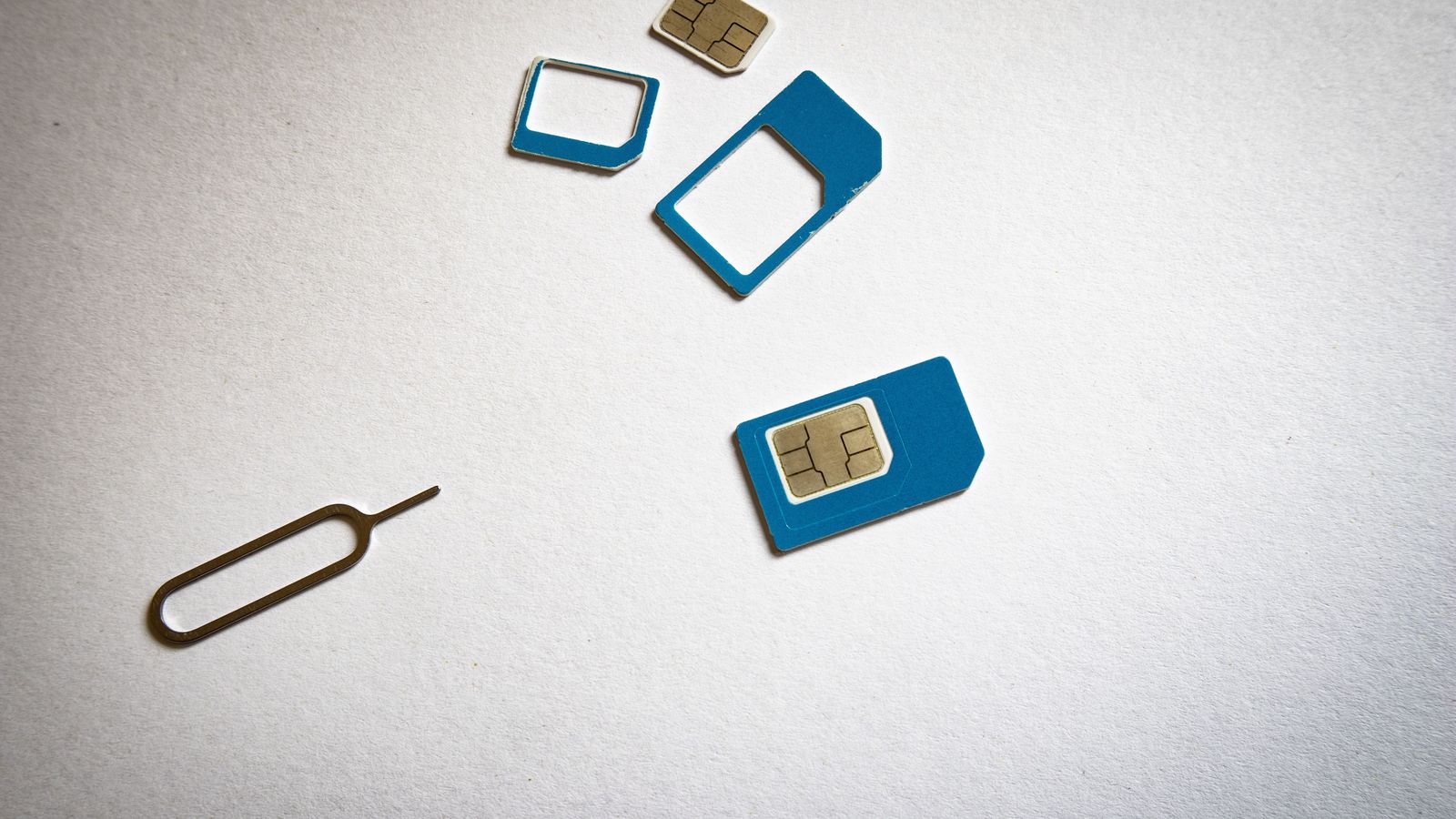
This is one of the more annoying pieces of admin in a move to the Philippines, mostly because there's no single fix. Bank and service compatibility is controlled by the sender, not by you. A number can receive normal texts just fine and still get rejected by one specific bank's short code system. So the real answer is "it depends," and I'll walk through the four paths people actually use: keeping a carrier line active with Wi-Fi calling, porting to Google Voice, parking the number with NumberBarn, or leaning on backup authentication instead of a phone number at all.
The one mistake that causes real damage is canceling your old service before a new setup is confirmed working. Do that and you can jeopardize your ability to recover the number, along with access to every account tied to it. Everything below is written to help you avoid that.
The Basics
A few terms show up constantly here, so let's define them once. A wireless or cellular number is one issued by a mobile carrier — T-Mobile, Tello, Mint, and so on. A VoIP number is delivered through an internet app rather than a SIM card; Google Voice is VoIP. A wireline number is classified by carriers and regulators as a landline, even if there's no physical phone attached to it — this matters because NumberBarn numbers fall into this category. Wi-Fi calling lets your phone use your existing carrier number over an internet connection instead of cellular signal. Roaming means your phone connects to a foreign carrier's cellular network directly. OTP is the one-time password your bank texts or calls you with.
Keep that wireless-vs-VoIP-vs-wireline distinction in mind, because it's the single biggest reason one option works for your bank and another doesn't.
Your Main Options
Option 1: Keep a US mobile carrier line with Wi-Fi calling
This is the most reliable path for banking because the number stays wireless the entire time. Tello says Wi-Fi Calling and Text works when traveling abroad, and once it's active, users can receive bank OTPs and verification texts outside the US. There's a catch: you need to register a US emergency address (E911) before the feature turns on. Standard SMS works fine over Wi-Fi; MMS does not, and some public Wi-Fi networks can block Wi-Fi calling traffic entirely, so don't count on the coffee shop connection.
T-Mobile's version works the same way — Wi-Fi Calling uses your existing T-Mobile number over Wi-Fi, and setup needs an E911 address, an active account, a compatible phone, and Wi-Fi. On an unlimited plan, incoming calls and messages, plus outgoing calls and messages to US numbers, get no-fee treatment over Wi-Fi Calling — that's specific to that plan type, not a blanket rule for every T-Mobile plan. One real risk: if your Wi-Fi connection drops, your phone can silently switch to cellular and rack up international roaming charges. T-Mobile recommends locking the phone to Wi-Fi-only, or using airplane mode plus Wi-Fi, to prevent that.
If you'd rather use actual cellular roaming instead of Wi-Fi calling, Tello supports it in 200+ countries through Pay As You Go credit, with a minimum of $5 required to turn roaming on — calls, texts, and data all draw down that balance. Just know the My Tello app itself only handles outgoing calls; it can't receive calls or texts.
T-Mobile is blunter about long-term use: its international roaming benefits are explicitly not meant for extended international use, require the customer to reside in the US, and expect primary usage to happen on the US network before you head overseas. If you've actually relocated to the Philippines, this is a real limitation, not fine print you can ignore. Currently, qualifying T-Mobile plans list international texting in 215+ destinations, calls at $0.50/minute, and International Passes at $10 for 1 day/2GB, $50 for 10 days/15GB, and $75 for 30 days/30GB — but carriers change these prices and destination lists, so verify before you rely on them.
Mint Mobile and Ultra Mobile advertise similar Wi-Fi calling that works abroad without roaming fees on their official pages, and Mint currently lists a 30-day no-data pass at $5. I'm mentioning them as examples of the same mechanism, not as proof either one will satisfy your specific bank.
Option 2: Port the number to Google Voice
Google Voice gives you calls, texts, and voicemail from a browser or app, and the consumer version is free — a separate thing from the paid standalone and Workspace plans. Porting an existing mobile number in costs $20, and not every number is eligible. Google requires that if you're based in the US, you make and update the port request while still in the US, which matters for timing your move.
The critical rule: don't cancel your current carrier plan until Google confirms the port went through. Google says a number can take up to 48 hours to port and text messages up to 3 business days to fully transfer. Cancel early and you risk losing the number in the gap.
Google Voice's real weakness for this use case: Google says some third-party services won't accept numbers that originated from Google Voice, even after you later port that number somewhere else. I'm not going to tell you it'll work with your bank — some readers report it working, others report it getting flagged as VoIP and rejected outright.
Option 3: Park the number with NumberBarn
NumberBarn Park costs $2.99 a month, with a $5 port-in fee and an optional $1/month for text messaging access through their app. No contract — you can port out or cancel any time. Most wireless ports usually take 3–7 days, and the same rule applies: keep the number active with your current provider until the port to NumberBarn actually completes.
The tradeoff to understand up front: NumberBarn numbers are classified as wireline, not wireless. Some companies specifically require a wireless number for verification, and NumberBarn is upfront that it can't guarantee third-party short-code delivery — compatibility can and does change. Its compatibility table reflects internal testing and customer reports, not a guarantee, so I won't repeat specific bank names from it as if they're locked in. Also worth knowing: texts land in the NumberBarn app or account, not forwarded to another phone number, so you have to check there.
Option 4: Use a different verification method
The most durable fix is reducing how much you depend on any single phone number. Check each bank and service for authenticator apps, push approval, email verification, passkeys or security keys, voice call backup, and printable backup codes — not every institution offers all of these, so check individually rather than assuming.
Set these up and test them while you're still in the US, before your existing number becomes unreliable. Keep recovery details somewhere offline, and never share an OTP, carrier PIN, port-out PIN, or account number.
What You'll Need
- A list of every bank, card, brokerage, email, and government account tied to your current US number
- Access to your current carrier account (login and account PIN) before you leave
- A US E911 address on file if you're going the Wi-Fi calling route
- Backup authentication (authenticator app, backup codes) enabled and tested per account
- A reliable home internet setup once you land — see /guides/internet for local and backup options, since Wi-Fi calling is useless if your connection is spotty
- A basic understanding of Philippine banking and where a working phone number matters day to day — /guides/banking covers that side
- If you run a Philippine business, check recovery details for business payment and banking accounts too — /guides/starting-a-business covers the broader local setup
Step by Step
- Inventory every account tied to your current number before you do anything else.
- Set up and test backup authentication methods (authenticator app, backup codes) on each account while still in the US.
- Decide which path fits: keep the carrier line active with Wi-Fi calling for the most reliable outcome, or add Google Voice or NumberBarn as a secondary path for accounts already tolerant of VoIP or wireline numbers.
- If keeping a carrier line, register your E911 address and confirm Wi-Fi calling works before you fly.
- If porting to Google Voice or NumberBarn, start the port while your current line is still active and paid up — never cancel first.
- Wait for port confirmation (Google Voice: up to 48 hours for the number, up to 3 business days for texts; NumberBarn: typically 3–7 days) before touching your old plan.
- Once you're in the Philippines, get a local SIM for daily use, and set your US line to Wi-Fi-only or airplane mode plus Wi-Fi to avoid surprise roaming charges.
- Re-test bank logins with your new setup before you actually need it during an emergency.
Costs
Nothing here is a full monthly bill — treat these as line items to plug into your own budget. Tello doesn't publish a current plan price in the sources I'm using, but its roaming requires at least $5 in Pay As You Go credit to activate. T-Mobile's qualifying plans currently list international calls at $0.50/minute and International Passes at $10 (1 day/2GB), $50 (10 days/15GB), and $75 (30 days/30GB) — these are official prices at time of writing and carriers change them. Mint Mobile currently lists a 30-day no-data roaming pass at $5.
Google Voice itself is free for consumer use; porting an existing number in costs a one-time $20. NumberBarn Park runs $2.99/month, plus a one-time $5 port-in fee, plus an optional $1/month if you want text access through their app.
If you're keeping a US carrier line just for verification purposes, that's a recurring cost most people forget to budget once they've relocated. Run it through /tools/cost-of-living-calculator alongside your actual Philippine expenses so it doesn't quietly become the line item you keep meaning to cancel and never do.
Common Problems & Solutions
You canceled the old line before the port finished. This is the expensive mistake. Both Google Voice and NumberBarn require the number to stay active with the current provider through the entire port window. If you already canceled, the number may be gone for good — there's no clean fix here, only prevention.
Wi-Fi calling quietly switched to cellular roaming. Set your phone to Wi-Fi-only calling, or use airplane mode plus Wi-Fi where your carrier supports it, so an unstable connection doesn't turn into an unexpected roaming bill.
A sender rejects your VoIP or landline number outright. Some senders specifically require a wireless number for verification. If NumberBarn or Google Voice gets flagged, your fallback is a real wireless line (Option 1) or a non-SMS backup method (Option 4) — don't waste time arguing with a fraud system built to reject exactly what you're doing.
Public Wi-Fi blocks the calling traffic. This happens. Rely on your own home connection for anything time-sensitive, and keep a backup internet option in your pocket per /guides/internet.
Reddit says it worked/didn't work for someone else's bank. Reader reports on threads like r/Philippines_Expats are useful for spotting patterns, not proof of anything for your specific bank. Outcomes genuinely vary person to person — treat them as anecdotal, test your own setup before you need it, and don't build your plan around one stranger's experience.
Frank's Take
If your bank access actually matters — and for most people it does — keep a real wireless carrier line active with Wi-Fi calling as your primary method. It's the one option that doesn't force a bank to guess whether your number is "real" enough. Google Voice and NumberBarn are fine as secondary tools or for accounts you've already confirmed tolerate VoIP or wireline numbers, but I wouldn't build my entire banking access around either one, because the acceptance rules live with the bank, not with the number provider, and they can flip without warning.
The other thing I'd tell anyone before they leave: set up backup authentication on every important account while you're still standing in the US with full carrier access. It takes twenty minutes and it's the cheapest insurance against getting locked out of your own money from six thousand miles away. Skip the number games entirely where you can — a passkey or an authenticator app doesn't care what country you're in.
More Expat Guides
- ›
ACR I-Card for Foreigners in the Philippines: Who Needs One
A plain-English guide to the Philippine ACR I-Card: who needs one, the day-59 rule, applying and renewing, BI's posted fees, the Annual Report and leaving.
- ›
How to Open a Bank Account in the Philippines as a Foreigner
What ID each visa status needs, which banks accept foreigners, and a step-by-step checklist for opening a Philippine bank account. Updated 2026.
- ›
Panglao, Dauis or Tagbilaran for a long stay
A practical comparison of where to live in Bohol for expats and digital nomads.
- ›
Can Foreigners Buy Property in the Philippines?
What foreigners can legally own in the Philippines: condo caps, land leases, marriage and former-Filipino rules, purchase taxes and fees, and moving the money.
- ›
Cebu IT Park vs Cebu Business Park
Cebu IT Park vs Business Park for expats — walkability, condos, PRA access, Sugbo Mercado, and which district fits nomads vs retirees.
- ›
Getting a Philippine Driver's License as a Foreigner
How to convert your foreign driver's license or get a new one in the Philippines — the 120-day rule, LTO requirements, fees, and what the process actually feels like.
- ›
Dumaguete, Valencia or Dauin: Which Fits Retirement?
Compare Dumaguete city, Valencia in the mountains, and Dauin on the coast — SRRV counts, hospitals, vibe, and who each spot fits.
- ›
Education and Schools in the Philippines
How to compare school places, curricula, full fees, calendars, and homeschooling options before an expat family moves.
- ›
ECC Exit Clearance: When Foreigners Need It to Leave PH
The Emigration Clearance Certificate explained: who needs it, ECC-A vs ECC-B, timing, and how to avoid getting stopped at the airport.
- ›
First 90 Days in the Philippines: A Moving Budget
Build a realistic Philippines moving budget for your first 90 days, including housing, deposits, monthly costs, visas, and setup.
- ›
GCash for Foreigners: GTourist vs Full Verification
What actually works for foreigners on GCash: the 30-day GTourist route, the resident ID list, real wallet limits, and where each path breaks down.
- ›
Healthcare and Health Insurance in the Philippines for Expats
Expat medical insurance in the Philippines, compared: PhilHealth, local HMOs and international plans — what to buy first and what each layer covers.
- ›
Finding Housing in the Philippines — Rent Bands & Trial Stays
Compare rent bands by city, then book a 2–4 week Agoda trial stay before you pay 3 months upfront — plus SafetyWing, Wise and budget next steps.
- ›
Internet in the Philippines
ISP comparison, speeds, reliability, backup options, and how to get connected as an expat.
- ›
Making Friends in the Philippines as a Foreigner
How friendships actually form in Metro Manila, where they happen, and why the first easy connections rarely turn into real barkada.
- ›
Moving to the Philippines with Pets
How to bring a dog or cat to the Philippines: BAI SPSIC permits, vaccination rules, airline cargo policies, fees, and arrival quarantine.
- ›
Bringing Prescription Medicine Into the Philippines
What you can legally carry, the 30-day controlled-drug limit, and how to keep a US or UK prescription running once you're based here.
- ›
Retirement & Pension in the Philippines: Getting Paid, Taxes and How Much You Need
How US Social Security and UK, Australian and Canadian pensions reach the Philippines, how they're taxed, and how much you need to retire here in 2026.
- ›
Retiring in the Philippines (2026): A Readiness Checklist
A plain checklist for retiring in the Philippines: visa, healthcare, pension income, housing and budget, plus how to test a town before you commit.
- ›
Safety in the Philippines: What Expats Actually Experience
What the crime data actually says, where risk changes by region, the scams foreigners run into most, and what to do if something happens.
- ›
SafetyWing in the Philippines: When It Fits (vs World Nomads)
Buy or skip SafetyWing for a Philippines stay: Essential vs Complete, honest World Nomads comparison, island medevac reality — plus trial stay, Wise rails, and budget next steps.
- ›
Best Way to Send Money to the Philippines (2026 Guide)
Compare Wise, bank wires, and remit apps. Why Wise is my default for Philippines transfers in 2026 — plus FBAR, domestic fees, and the paper trail.
- ›
Shipping Belongings to the Philippines: Container or Box?
A practical, opinionated comparison of shipping a container, sending balikbayan boxes, or buying new once you land in the Philippines.
- ›
SIM Cards, Mobile & Internet in the Philippines
How to get a Philippine SIM as a foreigner, register it under RA 11934, pick Globe, Smart, or DITO, and link it to GCash or Maya.
- ›
Starting a Business in the Philippines as a Foreigner
Foreign ownership rules, SEC registration, the 60-40 rule, and practical steps to launch a business.
- ›
Taxes for Expats in the Philippines
Whether foreign nationals owe Philippine tax, BIR TIN registration, the 180-day rule, current tax brackets, and how US/UK/AU/CA treaties apply.
- ›
Getting Around the Philippines
Driving, Grab, jeepneys, ferries, and domestic flights — how to get around as an expat.
- ›
Utilities in the Philippines: Electricity, Water and Internet Setup
A renter's guide to Philippine utilities: who supplies power and water, recent electricity rates, bill deposits, submetered units, brownouts and internet setup.
- ›
Philippines Visa Run vs Residency (2026): Tourist or SRRV?
Tourist extensions, HK/Singapore/KK visa runs, and when SRRV or 13(a) beats the treadmill — plus insurance, overnight stays, and money rails.