15 Essential Apps You Need in the Philippines (2026 Guide)
20 min read
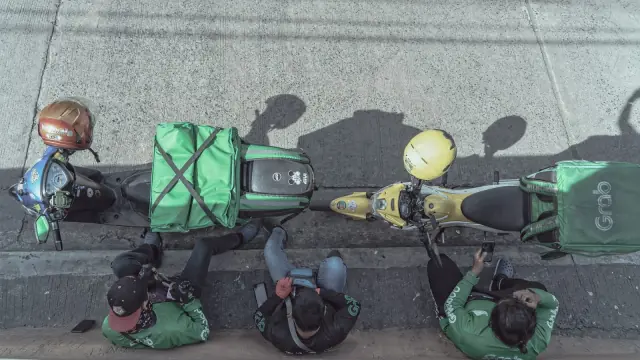
Everyday life in the Philippines runs through a handful of apps more than most newcomers expect. Rides, food, groceries, package delivery, mobile data, bills, and in-person payments can all be handled from your phone — often faster than the offline version of the same errand.
Some of these apps work the moment you land. Others need a Philippine SIM, a local ID, or a few weeks of residency before they unlock fully. That distinction trips people up more than anything else on this list, so it's worth sorting out early: which apps you can set up before you fly, which ones activate the day you arrive, and which ones simply aren't available to a short-term visitor no matter how badly you want them.
Here's the real list — what each app does, what it actually requires from a foreigner, and which ones are worth having installed before your flight lands.
The Essential Philippines Apps at a Glance
| App | Best For | Essential or Optional? |
|---|---|---|
| Grab | Rides, food, groceries, deliveries | Essential |
| GCash | QR payments and money transfers | Essential |
| Google Maps | Navigation | Essential |
| Lazada | Online shopping | Essential |
| Shopee | Online shopping | Essential |
| GlobeOne / Smart App / DITO | Managing your Philippine SIM | Essential |
| Messenger | Communicating with businesses and locals | Highly useful |
| Move It | Motorcycle taxis | Useful |
| Angkas | Motorcycle taxis | Useful |
| JoyRide | Motorcycle/car rides, airport transfers | Useful |
| foodpanda | Food and grocery delivery | Useful |
| Lalamove | Same-day courier and larger deliveries | Useful |
| Maya | Alternative digital wallet | Useful |
| Waze | Driving and traffic | Useful |
| eGovPH | Government services | Long-term residents |
Transportation and Getting Around
1. Grab — The Most Important App to Download
If you download exactly one app before your flight, make it Grab. It's the closest thing the Philippines has to an "everything app" — GrabCar and taxi bookings, GrabFood restaurant delivery, GrabMart groceries and convenience-store runs, GrabExpress for parcels, and cashless payment on top of all of it, in one account.
You don't need a Philippine number to register, and you can link a card before you fly — do it on your home network, since a card registered from an unfamiliar country while you're already abroad is more likely to trigger a fraud hold. Keep a backup payment method on file, and know that Grab discloses a foreign-payment-method fee on charges to a non-Philippine card, on top of any currency conversion — it's shown before you confirm the ride, so check the final total against the quoted fare.
For airport pickups, Grab is usually simpler than flagging a taxi outside arrivals: designated pickup zones, a driver you can track in real time, and a fare you agreed to before getting in the car.
Grab vs Regular Taxis in the Philippines
The practical differences add up: Grab gives you upfront pricing before you commit, exact pickup/drop-off pins instead of trying to describe a location verbally, a digital trip record if anything goes wrong, and a driver rating system. Metered taxis are still around and sometimes cheaper for short trips if the meter is honest, but Grab removes the two biggest tourist headaches — negotiating a price and explaining where you're going.
2. Move It — Motorcycle Taxis for Beating Traffic
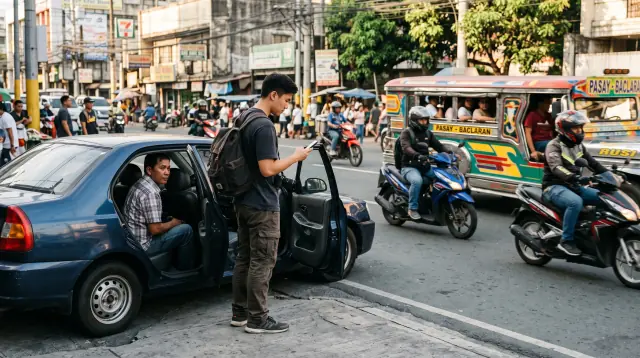
Motorcycle taxis are their own category of transport here, and Move It is one of the two major apps running them. As of 2026 it's concentrated in Metro Manila and nearby parts of Cavite, Rizal, and Bulacan, plus Metro Cebu and Cagayan de Oro — not the whole country, so check the app before counting on it outside those areas.
The appeal is simple: a motorcycle splits lanes that a car can't, which matters enormously on EDSA or C5 during rush hour. It's best suited to solo travelers with little luggage — helmets are provided, but you're exposed to weather and traffic in a way a car isn't, so it's a trade of comfort for speed.
3. Angkas — Another Major Motorcycle Taxi App
Angkas is Move It's main competitor and currently operates in Metro Manila and the Greater Manila Area, Metro Cebu, and Cagayan de Oro. When one app is short on available riders — common during rain or rush hour — the other is worth a check. Angkas also runs Angkas Padala, a same-day delivery option through the same app, useful for a document or small package when you're not ready to bring in Lalamove or GrabExpress.
4. JoyRide — Motorcycles, Cars, Taxis, and Airport Transfers
JoyRide has quietly become a genuine superapp: MC Taxi (motorcycle), JoyRide Car (four- or six-seater), a metered Taxi Cab option, and Super Taxi — its premium tier — alongside JoyRide Delivery, a Pabili "buy for me" errand service, and even JoyRide Bus for intercity tickets. Coverage runs across Metro Manila, Rizal, Bulacan, Cavite, Laguna, Pampanga, Bicol, Cebu, and Cagayan de Oro, with more regions rolling in.
The feature worth knowing about specifically: Super Taxi Airport Edition at NAIA Terminal 3 runs a 24-hour walk-in lounge near Gate 7 — you get an instant quote and a car with no app required, or you can pre-book through the app for Terminals 1–3. When Grab is surging or showing no cars near the airport, JoyRide's dedicated lounge is a legitimate backup.
5. Google Maps — Essential for Navigation
Beyond turn-by-turn directions, Google Maps is how you find businesses, read reviews before committing to a restaurant, save addresses you'll need again, and share your location with someone meeting you. Download the offline map for whichever city you're staying in before you land — a dead connection at exactly the wrong moment is common enough to plan around.
One local quirk: pinned locations often matter more than street addresses, especially outside Metro Manila's grid-like districts. Drivers and delivery riders frequently ask for a dropped pin rather than an address, so get comfortable sharing one.
Google Maps vs Waze in the Philippines
Google Maps is the stronger all-around tool — walking directions, transit options, business listings, reviews. Waze earns its place specifically if you're driving regularly: its live, crowd-sourced traffic and hazard reports (flooding, checkpoints, stalled vehicles) tend to be faster to update than Google's in dense Metro Manila traffic. Most people who don't own or rent a car can skip Waze entirely.
Payments and Money Apps
6. GCash — The Philippines' Most Useful Digital Wallet
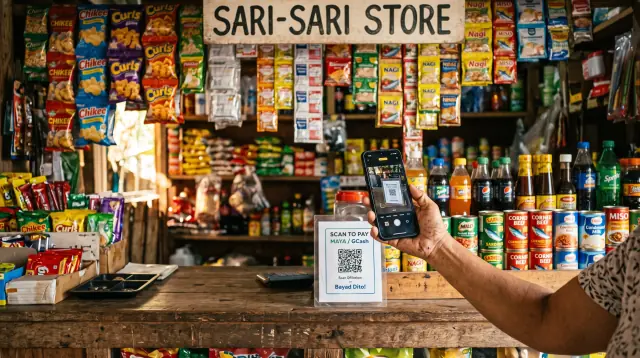
GCash is the default way Filipinos pay for almost everything that isn't a big-ticket purchase: splitting a restaurant bill, paying a sari-sari store, sending a friend money for gas, buying mobile load, settling a utility bill. The QR code sticker taped to a counter is a more common sight than a card reader in most of the country.
The part that matters for foreigners: plenty of small vendors that don't accept a foreign credit card will happily take a GCash QR scan. It's often the more reliable payment method, not just the more convenient one, once you have an account working.
Can Foreigners Use GCash?
This is the section most "best apps" lists get wrong, so it's worth being precise. GCash runs several account types side by side, and which one applies to you depends on your situation — not just whether you happen to be a foreigner.
GCash for Tourists: GTourist
GCash's GTourist product is built specifically for short-term visitors. You register with a non-Philippine mobile number and a foreign passport; a basic account only needs a valid Visa or Mastercard, while a fully verified account requires the passport plus a selfie scan. You can create the account before you land, but it only activates once your phone confirms you're physically in the Philippines, and it deactivates automatically after 30 days.
Once active, you can link your card and pay merchants directly through GCash's QR network — genuinely useful for splitting bills or paying small vendors during a short trip. The catch, as of this writing: GCash has rolled GTourist out to a limited list of countries, and U.S. (+1) numbers are consistently reported as supported, while several other nationalities aren't yet eligible. The rollout is expanding, so check the current country list inside the app rather than assuming either way. Spend or move the balance before day 30 — GCash documents Transfer → International out to a foreign bank or e-wallet while the account is still active. Once it deactivates, that cash-out path is gone. For the full GTourist-vs-resident breakdown, see GCash for foreigners.
GCash for Foreigners Living in the Philippines
Foreign residents on a Philippine SIM go through GCash's standard verification tier instead, and it does not accept a plain foreign passport as ID. The accepted documents are an ACR I-Card (Alien Certificate of Registration), a Philippine driver's license, an SRRV card (Special Resident Retiree's Visa), a DFA Diplomat ID, or a DOLE Alien Employment Permit — one government-issued Philippine ID, plus a selfie that matches it.
The timing catches people off guard: a tourist-visa ACR I-Card is typically only issued once you've extended your stay to around 59 days, meaning many longer-staying tourists have no eligible ID for GCash's standard verification during their first two months. Long-term visa holders (SRRV, work visas, spousal visas) get a resident-category ACR that goes through more smoothly. If verification stalls online, an in-person visit to a Globe store for manual escalation is a real, reported fix — don't assume the automated flow is the only path.
Bottom line: don't assume every foreigner gets the same account with just a passport. Check which category applies to you, and treat the wallet as a spending tool rather than where you park savings.
7. Maya — A Useful GCash Alternative
Maya is GCash's main competitor and doubles as a licensed digital bank, not just a wallet — QR payments, peer transfers by username, bill pay, and (once you upgrade your account) a savings product with a competitive interest rate, small loans, and even crypto buy/sell. It's not something short-term visitors need to prioritize, but if GCash's app or verification flow gives you trouble, Maya is worth having as a second option, and many merchants that take GCash also display a Maya QR code.
Your Philippine Bank's App
BPI, BDO, Metrobank, and UnionBank all have solid apps, but they only become relevant once you actually open a local account — which usually means a longer-term visa. Once you have one, the app handles transfers to GCash or Maya, bill payments, and QR purchases just like the wallets do.
More detail: how to open a bank account in the Philippines as a foreigner.
Online Shopping Apps
8. Lazada — One of the Philippines' Main Online Marketplaces
Lazada covers electronics, appliances, household goods, and imported products, with LazMall as its verified-brand-store tier for anything where authenticity matters (electronics especially). Cash on delivery is widely available if you're wary of linking a card, and sales events bring real discounts, not just marked-up "original" prices.
9. Shopee — The Other App You'll Probably Use Constantly
Shopee runs the same playbook with a slightly different focus: an enormous catalog of inexpensive everyday items — household supplies, clothing, phone accessories — dominated by individual sellers rather than big brands, plus Shopee Mall for verified official stores. Vouchers and flash sales are aggressive here, sometimes more so than Lazada's.
Shopee vs Lazada: Which Should You Use?
There isn't a clean winner. Lazada tends to feel a bit more curated for electronics and appliances through LazMall; Shopee usually has a wider raw selection and more aggressive small-seller pricing. Check seller ratings and review counts on either platform before buying anything expensive — a five-star seller with 12,000 reviews is a very different bet than one with 40. Most residents just end up keeping both apps and price-checking before ordering.
Food and Grocery Delivery
10. GrabFood and GrabMart
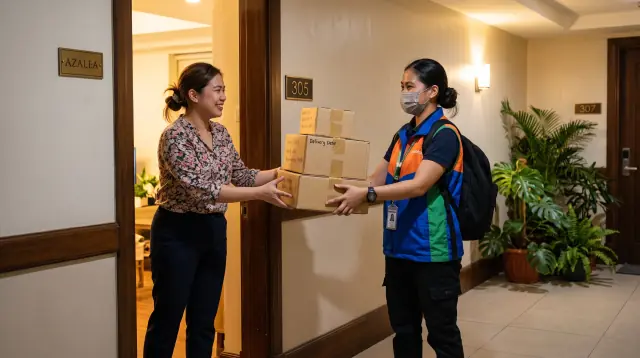
GrabFood handles restaurant delivery; GrabMart covers groceries, convenience-store items, and even pharmacy runs. Both live inside the same Grab app you already have installed for rides, with scheduled delivery and pickup options if you'd rather skip the delivery fee.
11. foodpanda — The Main GrabFood Alternative
foodpanda runs restaurant delivery plus its own quick-commerce grocery arm, pandamart — a network of 24/7 "dark store" fulfillment hubs (23 of them as of mid-2026, spanning Metro Manila, Cavite, Laguna, Batangas, Bulacan, Pampanga, Benguet, Metro Cebu, and Davao) that promise delivery in roughly 25–35 minutes from a catalog of tens of thousands of items. Restaurant selection and promo pricing genuinely differ from Grab's, so it's worth comparing both apps before you order rather than defaulting to one.
Deliveries and Errands
12. Lalamove — Send Almost Anything Across Town
Lalamove is the app for anything bigger than what a motorcycle courier comfortably carries: documents, a marketplace purchase, furniture, or a full apartment's worth of boxes on move-in day, with vehicle options scaling from motorcycles up to vans and trucks. Real-time tracking and same-day delivery are standard, and Lalamove has been actively expanding through 2026 — beyond its long-standing Cebu operation into new Visayas cities (Iloilo, Bacolod, Dumaguete, Roxas, Kabankalan) and, for the first time, into Mindanao (Davao, Cagayan de Oro, General Santos, and several other cities).
GrabExpress vs Lalamove
GrabExpress leans on Grab's existing driver network and is best for documents and small parcels you want delivered quickly through an app you already have open — it caps out around motorcycle and multi-purpose-vehicle options. Lalamove wins on vehicle range: motorcycle, sedan, SUV, van, or truck, all in the same app, which makes it the better call for anything bulky, a full moving job, or a longer cross-town trip. If you're just sending a document, either works; if you're moving furniture, go straight to Lalamove.
Mobile Data and Philippine SIM Apps
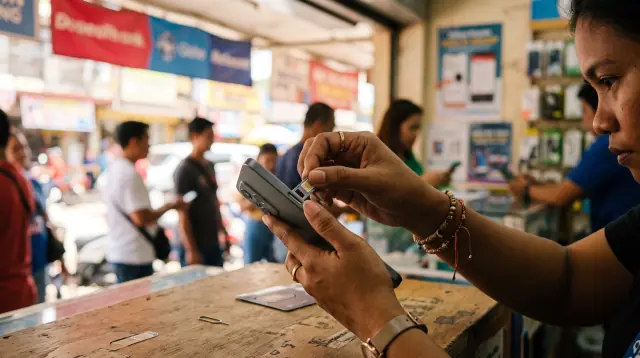
13. GlobeOne — If You Use Globe
GlobeOne is Globe's account app: checking remaining data, buying promos, loading your SIM, paying postpaid bills, and tracking usage and rewards, all in one place.
14. Smart App — If You Use Smart
Smart's carrier app was formerly branded "GigaLife App" and was renamed the Smart App back in 2023 — if you see older guides referencing GigaLife, it's the same app under its current name. It covers Smart Prepaid, Smart Signature, Smart Bro, TNT, and PLDT Home WiFi accounts: checking remaining data, buying prepaid promos, adding load, managing multiple linked numbers, and paying postpaid bills.
DITO App — If You Use DITO
DITO's app checks your real-time data, load, and text balances, lets you buy promos and top up using DITO load, a card, or GCash, Maya, GrabPay, ShopeePay, and WeChat Pay, and includes a small rewards-points system plus in-app customer chat.
You Only Need the App for Your Mobile Carrier
Don't install all three. Whichever network your SIM is on — Globe, Smart, or DITO — that's the one app you need for managing data and promos. A Globe user gets nothing from having the Smart App installed, and vice versa.
More detail: SIM cards, data plans, and getting online.
Communication Apps
15. Facebook Messenger — More Important in the Philippines Than Many Foreigners Expect
Messenger is where a huge amount of small business happens here — restaurants taking reservations, landlords and property agents coordinating viewings, Facebook Marketplace sellers negotiating a price, local community groups sharing updates. If you're apartment hunting or buying anything secondhand, expect to end up in a Messenger thread rather than an email.
Viber — Still Useful for Certain Businesses and Groups
Viber has a smaller but real footprint — some banks, businesses, condo associations, and local organizations still run their group chats or customer service through it. It's worth having installed as a secondary option rather than something you need on day one.
Useful Apps for Long-Term Expats
eGovPH
eGovPH is the Philippine government's unified "super app," run by the DICT and tying together well over a thousand government services in one place — digital versions of the National ID, driver's license, PRC ID, and PhilHealth ID, plus eTravel, the mandatory electronic travel declaration for anyone flying into the Philippines (Filipino or foreign) and for Filipino citizens flying out. If you're a foreign visitor, you'll interact with eTravel directly (it can be filed at etravel.gov.ph without the app), but the broader eGovPH platform — the digital ID wallet, the government-service directory — is built around Philippine citizens and residents with local IDs, so it becomes genuinely useful once you have Philippine documentation of your own, not on your first trip.
Wise
Wise isn't a "Philippines app" in the same sense as the rest of this list, but it's worth keeping in the same folder: moving money from an overseas account, converting currencies at a transparent rate, and sending pesos directly to a Philippine bank account or an eligible mobile wallet. Keep it separate in your head from the local-payments apps above — Wise is how money gets into the country; GCash, Maya, and your bank app are how you spend it once it's there.
More detail: best ways to send money to the Philippines.
Your Airline Apps
Domestic flights are a normal part of getting around an archipelago — Cebu Pacific, Philippine Airlines, and AirAsia all cover a wide network of routes far cheaper and faster than an overland (and often over-water) alternative. Their apps handle boarding passes, online check-in, flight-change requests, and delay notifications, which matter more here than in most countries given how routinely weather affects Philippine domestic schedules.
Apps You Should Download Before Arriving in the Philippines
Download Before Your Flight
Grab, Google Maps, GCash (register for GTourist if eligible), Messenger, Lazada, Shopee, your airline's app, and Wise or your home-bank app. All of these either work immediately or just need activation once you land.
Download After Getting Your Philippine SIM
GlobeOne, Smart App, or DITO (whichever matches your carrier), local banking apps, and eGovPH once you have Philippine identification worth linking to it.
Set Up Your Accounts While You Still Have Access to Your Home Number
Before your foreign SIM stops receiving texts reliably, trigger any two-factor codes you'll need, confirm your email recovery methods, and keep your home SIM available (or Wi-Fi calling active on it) for anything that still authenticates against that number.
The 7 Apps I Would Install First
If you want the short version:
- Grab — transportation, food, and deliveries
- GCash — local payments
- Google Maps — navigation
- Shopee — online shopping
- Lazada — online shopping
- Your Philippine mobile carrier's app — data and SIM management
- Messenger — communicating with people and businesses
Move It, Angkas, foodpanda, and Lalamove become genuinely useful once you're actually living here day to day, rather than passing through for a week or two.
Frequently Asked Questions
What apps do I need before traveling to the Philippines? At minimum: Grab, Google Maps, and Messenger. If you're eligible, register for GCash's GTourist account before you fly — it only activates once you land, so there's no downside to setting it up early.
What is the most useful app in the Philippines? Grab, without much competition, for anyone visiting or newly arrived. GCash becomes equally important the longer you stay, since it's how most day-to-day cash transactions happen.
Can foreigners use GCash in the Philippines? Yes, but which account type depends on your situation. Short-term visitors use GTourist (currently rolled out to a limited set of countries, with U.S. numbers supported); foreign residents with a Philippine SIM verify with an ACR I-Card, SRRV card, Philippine driver's license, or similar local ID — not a plain passport.
Can tourists use GCash without a Philippine SIM? Yes — that's specifically what GTourist is for. You register with a non-Philippine mobile number, and the account activates for 30 days once you're physically in the country.
Is Grab available in the Philippines? Yes, and it's the dominant ride-hailing and delivery platform nationwide, covering rides, food, groceries, and package delivery through one app.
Which is better in the Philippines: Grab or Uber? There's no real comparison to make — Uber sold its Southeast Asia ride-hailing operations to Grab back in 2018 and hasn't run an independent rideshare service in the Philippines since. Grab has been the default option for years.
Is Shopee or Lazada better in the Philippines? Neither clearly wins. Lazada tends to feel stronger for electronics and branded goods through LazMall; Shopee usually has a broader catalog of everyday items and more aggressive small-seller pricing. Most people keep both and compare before buying.
What is the best food delivery app in the Philippines? Grab (via GrabFood and GrabMart) and foodpanda are the two major options, with real differences in restaurant selection and pricing by area — worth checking both before you order.
What motorcycle taxi apps are available in Manila? Move It and Angkas are the two major platforms, both concentrated in Metro Manila and the Greater Manila Area, plus Metro Cebu and Cagayan de Oro. JoyRide also offers a motorcycle-taxi option alongside its car and taxi services.
Do I need a Philippine phone number to use these apps? No, not for most of them — Grab, Lazada, Shopee, and GCash's GTourist all work with a foreign number to start. A Philippine SIM becomes necessary for GCash's standard resident verification, for GlobeOne/Smart App/DITO, and for smoother delivery coordination (couriers text or call local numbers).
Can I use a foreign credit card with Philippine apps? Often, but expect friction. Grab and most shopping apps accept foreign cards, sometimes with an added foreign-transaction fee disclosed at checkout. Cash on delivery, a linked GCash or Maya wallet, or a local bank card tend to be the more reliable fallback when a foreign card gets declined over a billing-address mismatch.
Final Checklist: Your Philippines App Folder
Transportation: Grab · Move It · Angkas / JoyRide · Google Maps
Money: GCash · Maya · Wise · Local bank app
Shopping: Shopee · Lazada
Food: Grab (GrabFood/GrabMart) · foodpanda
Delivery: Lalamove
Mobile: GlobeOne / Smart App / DITO
Communication: Messenger · Viber
Government / Long-Term Living: eGovPH
The apps that matter most change depending on how long you're staying. A week-long visit runs fine on Grab, Google Maps, and cash. A move runs on all fifteen — just not all at once, and not all before you land. Set up what activates immediately, register for what only needs a passport, and let the rest wait until you actually have a Philippine SIM and an address to plug into them.
Get the free Scout Trip Starter Kit
Chapter 1 of the Decision Pack, plus three printable tools for planning a scouting trip to the Philippines.